Appearance
Network Diagnostics
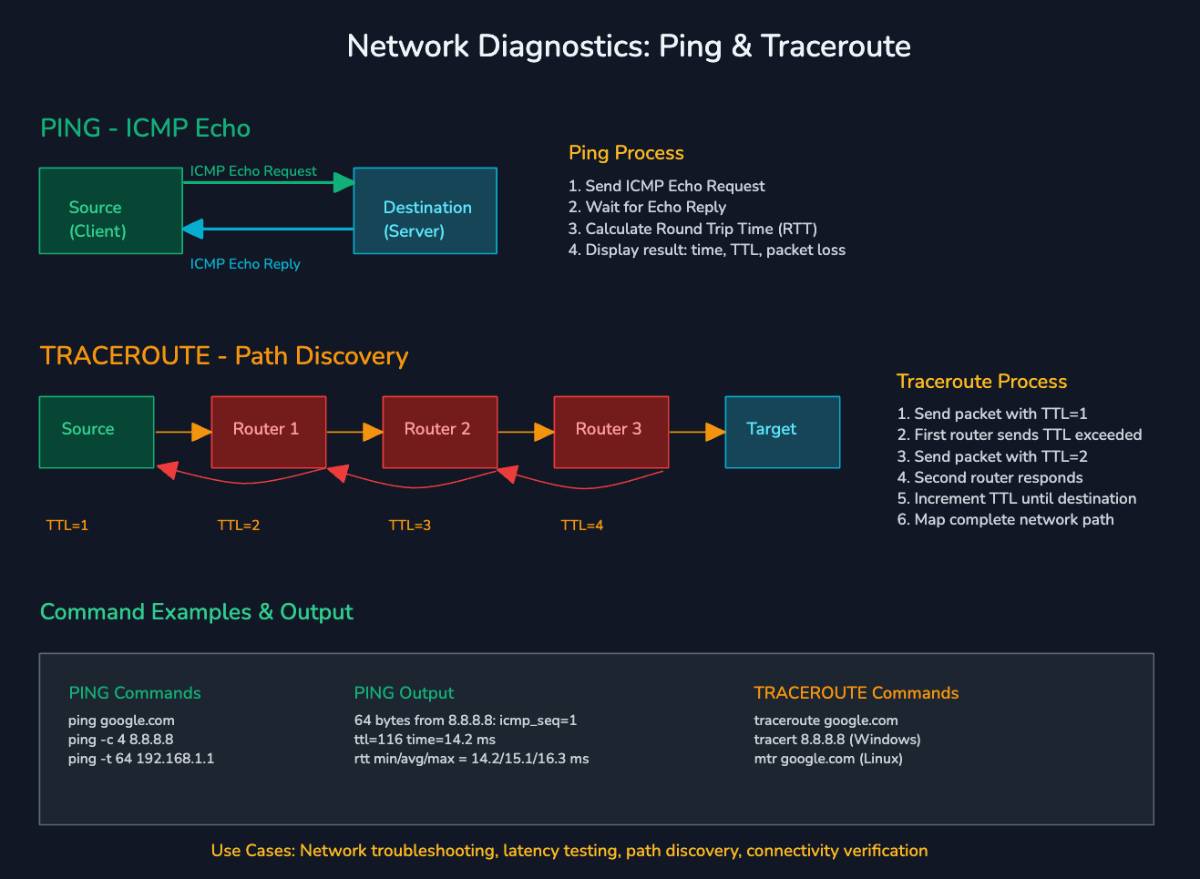
Network diagnostics is the process of checking if a computer network is working properly and finding where problems might be. Tools like traceroute, ping, packet loss checks, and Wireshark help with this
How it works
- Ping sends tiny test messages to another computer and measures how long it takes to reply. If there’s no reply, something’s wrong
- Traceroute shows the path your data takes across different servers to reach the destination, and where delays happen
- Packet loss check looks at how many test messages never arrive, which means data is getting dropped
- Wireshark is a tool that captures and shows the raw data packets moving on a network so you can see exactly what’s happening inside
Analogy
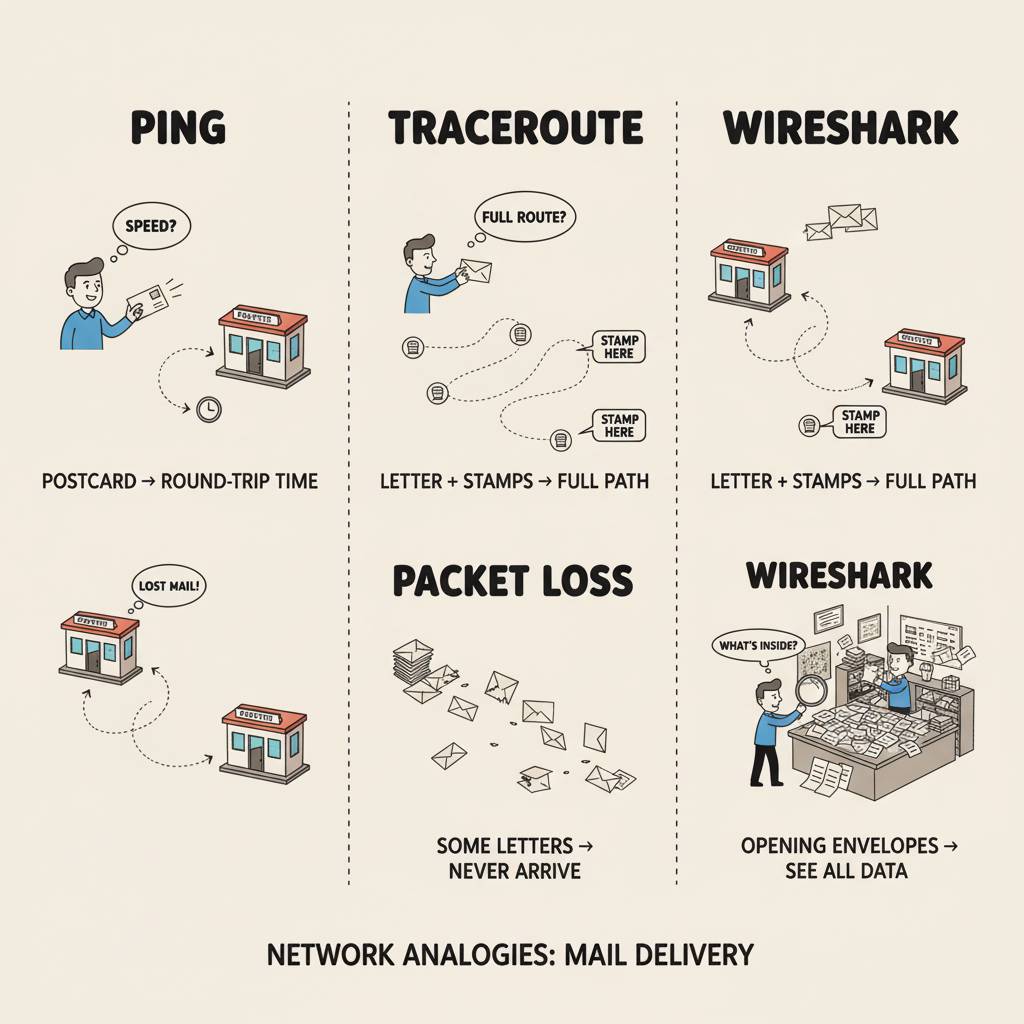 Think of sending mail across several post offices. Ping is like mailing a postcard and seeing how fast it comes back. Traceroute is like asking for a stamp at every post office on the way, so you know the full route. Packet loss is when some of your letters never arrive at all. Wireshark is like standing inside a post office and opening every envelope to see what’s really being sent